
The Sovereign AI Era: How to Deploy a Local LLM on Bare Metal and Cut Cloud Costs by 70%
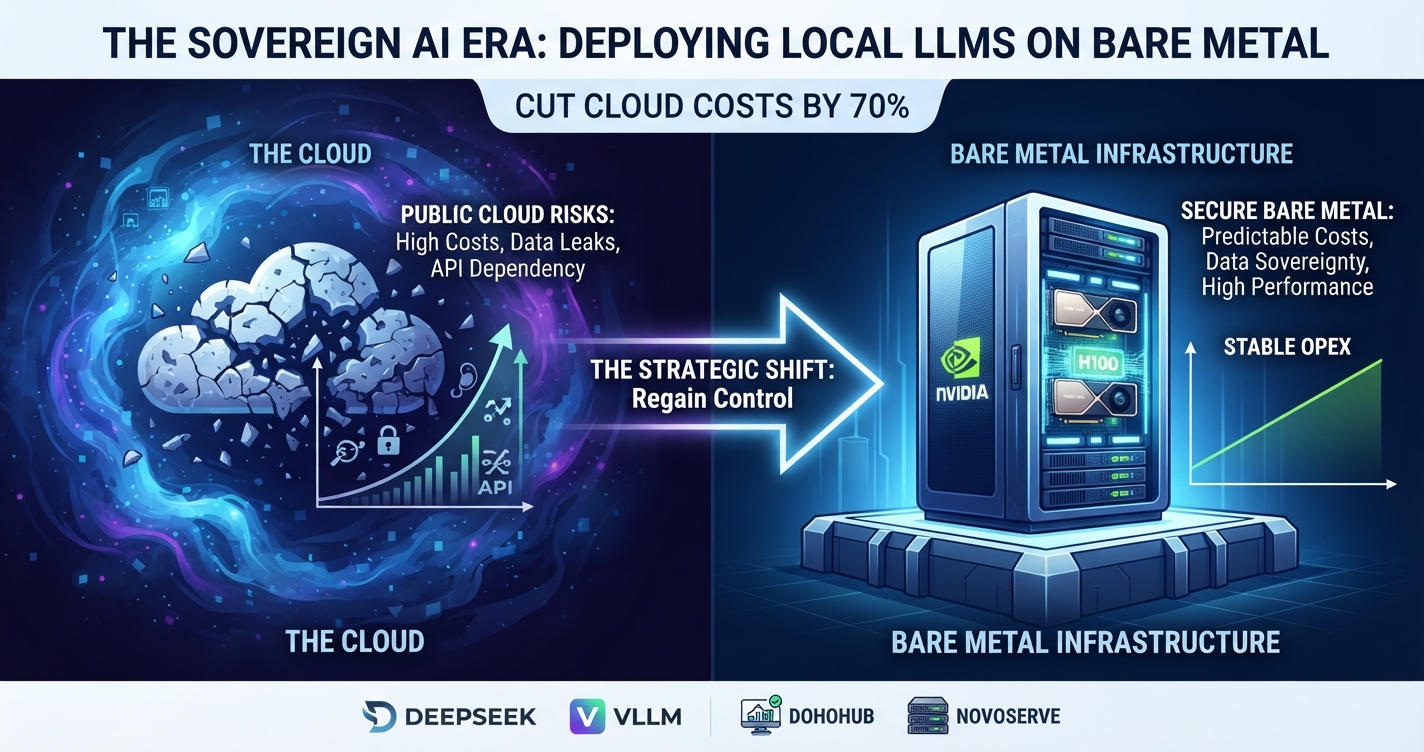
Learn how to deploy local large language models (LLMs) on dedicated bare metal servers, choose the right GPU hardware, optimize inference with Ollama or vLLM, strengthen data sovereignty, and reduce AI infrastructure costs.
The generative AI boom has presented modern enterprises with a clear choice: integrate large language models (LLMs) into core workflows or risk falling behind. During the initial minimum viable product (MVP) stage, relying on commercial APIs or public cloud infrastructure from providers such as AWS and Microsoft Azure is often a logical decision. However, as applications scale and token consumption increases, cloud-native architectures can expose two major challenges: rising operational costs and data privacy concerns.
When applications process proprietary business data, customer records, or source code, transmitting information to third-party endpoints can create significant security, privacy, and regulatory considerations. Organizations operating under frameworks such as GDPR, HIPAA, or PCI DSS must carefully evaluate where data is processed, how it is stored, and which third parties can access it.
Public cloud infrastructure can also introduce variable compute charges, API usage fees, and data transfer costs. For predictable, continuous production workloads, these expenses can become a substantial part of an organization's technology budget.
One alternative is digital sovereignty through self-hosted AI. By deploying open-weight models such as DeepSeek, Llama, or Mistral on dedicated physical servers, organizations can gain greater control over their infrastructure, operating costs, and data lifecycle.
Infrastructure monitoring and comparison platforms such as DohoHub can help teams evaluate hosting providers, server configurations, and pricing before committing to a deployment. Providers specializing in dedicated infrastructure, including NovoServe, may be worth evaluating for demanding AI workloads.
This guide explains how to size hardware, select a hosting provider, choose an inference engine, and deploy a local LLM on bare metal in 2026.
1. Hardware Blueprint: Sizing Compute and VRAM for LLMs
When designing a dedicated AI server, GPU memory capacity and memory bandwidth are often more important than raw CPU core count.
If a model and its associated inference workload cannot fit within available GPU memory, the system may need to offload some operations to system RAM. Depending on the model, quantization, context length, and inference engine, this can significantly reduce generation speed.
The right configuration depends on model size, precision, context length, concurrent users, and the performance your application requires.
Recommended Hardware by Workload
The following matrix provides indicative starting points for planning. Actual requirements vary by model architecture, quantization, software configuration, and production workload.
| Workload tier | Representative models | Indicative GPU memory | Example GPU configuration | Host CPU and RAM | Typical use cases |
|---|---|---|---|---|---|
| Small-scale development | Llama 8B, Mistral 7B, smaller distilled models | 16–24 GB | One RTX 4090 or suitable professional GPU | 8–16 CPU cores, 64 GB RAM | Internal assistants, code copilots, log analysis, text classification |
| Production SMB applications | Models in the 32B–70B range | 48–80 GB or more, depending on precision | One or more suitable GPUs, such as A100, H100, or L40S configurations | 32–64 CPU cores, 256 GB RAM as a planning baseline | Retrieval-augmented generation (RAG), semantic search, document processing |
| Large-scale enterprise | Large models, including 70B–400B+ parameter models | 80–320 GB or more across multiple GPUs | Multi-GPU servers or clusters with suitable high-speed interconnects | 64–128 CPU cores, 512 GB–1 TB RAM as a planning baseline | High-concurrency services, enterprise AI platforms, large-scale inference |
These figures are starting points rather than universal minimums. A quantized model may require substantially less GPU memory than a model running at higher precision. Conversely, long context windows, large KV caches, and concurrent requests can increase memory requirements considerably.
Why VRAM Matters
GPU memory determines how much of a model and its inference state can reside on the accelerator. Memory bandwidth also affects how quickly the system can access model weights during generation.
Before selecting hardware, evaluate:
- Model size: The number of parameters influences memory requirements.
- Quantization: Lower-precision representations can reduce memory consumption, sometimes with quality trade-offs.
- Context length: Longer prompts and conversations increase memory requirements.
- Concurrency: Multiple simultaneous requests require additional resources.
- Throughput and latency: Interactive assistants and batch-processing systems have different performance targets.
- Power and cooling: High-performance GPUs can impose substantial electricity and cooling requirements.
For many deployments, choosing a GPU with sufficient memory is more effective than purchasing a server with a larger CPU but inadequate accelerator capacity.
2. Infrastructure Selection: Choosing the Right Host
Once you understand your compute requirements, the next step is selecting an appropriate hosting environment.
AI inference is sensitive to hardware availability, network performance, storage, power delivery, and the provider's ability to maintain reliable service. The ideal configuration depends on whether you are experimenting with a model or operating a customer-facing application.
Development and Low-Concurrency Workloads
For development, experimentation, and proof-of-concept deployments, affordability and flexibility may matter more than maximum throughput.
Entry-level GPU hosting and dedicated servers can provide an environment for:
- Testing open-weight models.
- Evaluating quantization strategies.
- Building internal AI assistants.
- Experimenting with retrieval-augmented generation.
- Benchmarking inference engines.
- Running small-scale fine-tuning experiments where supported by the hardware.
Platforms such as DohoHub can help developers compare hosting providers and investigate available infrastructure options. Providers such as Contabo and GPU-focused hosting services may be relevant candidates, depending on current GPU availability and configuration.
Always verify the actual hardware, GPU memory, virtualization model, usage restrictions, and total monthly price before ordering.
GPU Hosting for Local AI Workloads
If you are looking for GPU infrastructure to run local LLMs, test open-weight models, or experiment with AI inference, GPU Mart is another provider worth evaluating.
Explore available GPU hosting options, compare configurations, and check whether the available hardware meets your model's VRAM, performance, and budget requirements.
Explore GPU hosting at GPU Mart
Before ordering, verify GPU availability, dedicated memory capacity, pricing, network limits, and the provider's terms of service. The right configuration depends on your model size, quantization, context length, and expected request volume.
Production and Enterprise Workloads
Production services require a more comprehensive assessment. A server that performs well during a single-user test may struggle when multiple users submit long prompts simultaneously.
When evaluating enterprise infrastructure, consider:
- GPU availability: Confirm the exact GPU model, memory capacity, and whether the hardware is dedicated.
- CPU and RAM: Ensure sufficient resources for preprocessing, orchestration, storage, and supporting services.
- Network capacity: Evaluate bandwidth, latency, traffic limits, and connectivity to your users and data sources.
- Data center resilience: Review power redundancy, cooling, physical security, and documented availability commitments.
- Remote management: IPMI or equivalent out-of-band management can simplify recovery and troubleshooting.
- Commercial terms: Check setup fees, traffic charges, hardware replacement policies, support response times, and cancellation terms.
- Geographic requirements: Select locations that meet latency, residency, and applicable compliance requirements.
Dedicated server operators such as NovoServe may be candidates for evaluation when a workload requires high-density compute, substantial networking capacity, and control over the underlying operating environment. Verify current specifications and service commitments directly with the provider.
Bare Metal vs. Public Cloud
Bare metal and public cloud infrastructure serve different needs.
| Factor | Dedicated bare metal | Public cloud or hosted AI API |
|---|---|---|
| Cost structure | Often a fixed recurring server fee | Usage-based, instance-based, or token-based |
| Hardware control | Greater control over the operating environment | Varies by service and instance type |
| Scaling | May require provisioning additional hardware | Often offers more flexible scaling options |
| Data governance | More direct control over infrastructure and data flows | Depends on provider architecture and contract |
| Maintenance | More responsibility for operating and securing the system | Some infrastructure management is handled by the provider |
| Best fit | Predictable workloads and sustained utilization | Variable demand, rapid experimentation, and managed services |
Bare metal is not automatically cheaper. Savings depend on utilization, electricity and hosting costs, hardware requirements, engineering time, support, and the cost of operating the inference stack.
The best approach is to compare the total cost of ownership (TCO) for your actual workload rather than relying exclusively on advertised server prices.
3. Inference Software Architecture: Ollama vs. vLLM
Selecting suitable hardware is only part of the deployment process. The inference engine determines how a model is loaded, how requests are processed, and how effectively the system uses available resources.
A typical self-hosted AI architecture looks like this:
┌─────────────────────────────────────────────┐
│           Enterprise Applications           │
│       Internal Tools, SaaS, AI Agents       │
└──────────────────────┬──────────────────────┘
                       │
                       ▼
┌─────────────────────────────────────────────┐
│             API / Application Layer         │
│       Authentication, Routing, Logging      │
└──────────────────────┬──────────────────────┘
                       │
                       ▼
┌─────────────────────────────────────────────┐
│              Inference Engine               │
│              Ollama / vLLM                  │
│       Model Loading and Request Handling    │
└──────────────────────┬──────────────────────┘
                       │
                       ▼
┌─────────────────────────────────────────────┐
│          Dedicated Bare Metal Server        │
│               GPU + VRAM + RAM              │
└─────────────────────────────────────────────┘
Ollama: Best for Rapid Deployment
Ollama provides a relatively simple way to download, run, and manage supported language models locally. Its developer-friendly interface makes it useful for prototyping and running internal AI tools.
Typical use cases include:
- Internal chat assistants.
- Developer productivity tools.
- Local experimentation with different models.
- Lightweight AI microservices.
- Prototyping applications before a larger production deployment.
Verdict: Ollama is a practical starting point for local development and many internal applications. Production suitability depends on concurrency, performance requirements, access controls, and operational configuration.
vLLM: Designed for High-Throughput Inference
vLLM is an inference and serving engine designed to support efficient model serving, including concurrent requests and continuous batching.
Its capabilities include PagedAttention for KV-cache management and scheduling techniques that can improve GPU utilization under suitable workloads.
Potential applications include:
- Customer-facing AI services.
- Multi-user enterprise assistants.
- High-throughput text generation.
- OpenAI-compatible API deployments.
- Applications that need to serve multiple requests efficiently.
Verdict: vLLM is a strong candidate for production inference where throughput and concurrency matter. Benchmark it with your specific model, hardware, context lengths, and request patterns before making a final architecture decision.
Performance improvements vary by workload. Claims of a specific throughput multiplier should be supported by reproducible benchmarks using comparable hardware and settings.
4. Step-by-Step Production Deployment Guide
This section outlines a basic deployment of an open-weight model using a Linux bare metal server, NVIDIA GPU hardware, Docker, and vLLM.
The example uses DeepSeek-R1-Distill-Qwen-32B. Before deployment, confirm that the model's memory requirements fit your GPU configuration and that your selected vLLM image supports the model and required features.
Step 1: Provision the Linux Server
Provision a dedicated server with a supported Linux distribution. Ubuntu LTS is a common option for GPU workloads; verify the current operating system, driver, CUDA, and container compatibility requirements for your chosen software versions.
Connect over SSH:
ssh root@your-bare-metal-ipFor production, use SSH keys where possible, restrict administrative access, and avoid exposing management services to the public internet.
Update the system packages:
sudo apt update
sudo apt upgrade -y
If you are logged in as a non-root user, ensure that your account has the appropriate administrative privileges.
Step 2: Install and Verify the NVIDIA Stack
Install a compatible NVIDIA driver and configure the GPU runtime according to the server's operating system and the official NVIDIA installation instructions.
Do not assume a specific driver version will work with every GPU, kernel, CUDA release, or inference container. Check compatibility before installing packages.
After installation, reboot if required:
sudo rebootReconnect and verify that the GPU is detected:
nvidia-smiThe output should show the detected GPU, driver version, memory capacity, and current utilization.
If the GPU is not visible, resolve the driver or hardware issue before proceeding to model deployment.
Step 3: Prepare Docker for GPU Workloads
Install Docker and configure NVIDIA Container Toolkit using the official instructions for your Linux distribution.
Verify that Docker can access the GPU before launching the inference engine. For example, a compatible NVIDIA CUDA container can be used to test GPU visibility.
The precise test command depends on your installed container toolkit and the CUDA image you choose.
Keep the container runtime and GPU drivers maintained, and use a supported image version for production instead of relying indefinitely on an unpinned latest tag.
Step 4: Launch vLLM
The following example illustrates the basic structure of a vLLM deployment using Docker and an OpenAI-compatible API.
Set your Hugging Face token in the environment if the model repository requires authentication:
export HF_TOKEN="your_huggingface_token"Treat this token as a secret. Do not commit it to source control, publish it in logs, or embed it in a public script.
Launch the container:
docker run --rm \
  --gpus all \
  -e HF_TOKEN \
  -p 127.0.0.1:8000:8000 \
  --ipc=host \
  vllm/vllm-openai:latest \
  --model deepseek-ai/DeepSeek-R1-Distill-Qwen-32B \
  --tensor-parallel-size 1
Important deployment considerations:
- The example binds the API to
127.0.0.1, making it accessible locally rather than directly exposing port 8000 to the public internet. - Confirm that your GPU has sufficient memory for the selected model, its precision, and the intended context length.
- Tensor parallelism must be configured to match the number and arrangement of GPUs.
- Model downloads can require substantial disk space and network bandwidth.
- For production, pin a tested container image version and establish a controlled update process.
- Configure authentication, access restrictions, monitoring, and a secure reverse proxy before allowing remote clients to connect.
This command is a starting point, not a complete production security configuration. Depending on your model and software versions, additional parameters may be necessary.
Step 5: Validate the Inference API
Once the model has loaded successfully, send a test request to the local API endpoint.
The following example uses curl:
curl http://localhost:8000/v1/chat/completions \
  -H "Content-Type: application/json" \
  -d '{
    "model": "deepseek-ai/DeepSeek-R1-Distill-Qwen-32B",
    "messages": [
      {
        "role": "user",
        "content": "Analyze our infrastructure metrics."
      }
    ]
  }'
A successful response should contain the model's generated output in the API response.
If the request fails, investigate:
- Whether the model finished loading.
- Whether the model identifier matches the server configuration.
- Whether the GPU has sufficient available memory.
- Whether the server logs contain initialization or runtime errors.
- Whether the API is listening on the expected port.
- Whether the installed software versions are compatible.
Step 6: Benchmark Before Going Live
A successful test request proves that the model can generate a response. It does not prove that the deployment is ready for production.
Measure performance under realistic conditions, including concurrent users and representative prompt lengths.
Useful metrics include:
| Metric | Why it matters |
|---|---|
| Time to first token | Measures how quickly users begin receiving a response |
| Tokens per second | Indicates generation speed |
| Requests per second | Helps estimate service capacity |
| GPU memory utilization | Reveals memory pressure and capacity limits |
| GPU utilization | Helps identify potential bottlenecks |
| Error rate | Measures reliability under load |
| p95 and p99 latency | Shows the experience of slower requests |
| Cost per successful request | Helps compare infrastructure and API alternatives |
Run tests at different concurrency levels and context lengths. Use the results to determine whether you need more GPU memory, a different inference configuration, additional servers, or request scheduling.
5. Security, Data Sovereignty, and Operational Readiness
Running an LLM on dedicated hardware can give an organization more control over data flows, but it does not automatically guarantee privacy or regulatory compliance.
A secure self-hosted AI deployment should include several layers of protection.
Protect the API
- Require authentication for remote requests.
- Use TLS for network connections.
- Restrict access with firewall rules and network policies.
- Apply rate limits and request-size limits.
- Avoid exposing administrative interfaces publicly.
- Keep API credentials and model access tokens in a secret manager.
Protect Data and Logs
- Define which prompts, responses, and metadata may be logged.
- Avoid storing sensitive information unless there is a documented need.
- Establish retention and deletion policies.
- Encrypt sensitive data at rest where appropriate.
- Restrict access to logs, backups, and model caches.
- Review whether application telemetry sends data to third parties.
Plan for Reliability
Production workloads also require:
- Automated monitoring and alerting.
- Tested backup and recovery procedures.
- Operating system and security updates.
- Capacity planning and hardware failure procedures.
- Documented incident response processes.
- Defined service-level objectives and maintenance windows.
For organizations subject to GDPR, HIPAA, PCI DSS, or other regulatory requirements, assess the specific obligations applicable to the organization and workload. Self-hosting can support a broader data-governance strategy, but compliance depends on the complete technical and organizational environment.
6. How to Evaluate the Cost Savings
The main financial argument for bare metal is that predictable, sustained workloads may be less expensive on fixed-price hardware than on usage-priced APIs or cloud infrastructure.
However, the result depends on utilization and the full cost of operating the service. A claim that bare metal reduces costs by 50%–70% should be treated as a scenario to validate, not a universal outcome.
A useful comparison includes:
| Cost component | Self-hosted bare metal | Cloud API or managed AI |
|---|---|---|
| Compute | Fixed server rental or ownership costs | API tokens, managed endpoints, or rented instances |
| GPU capacity | Included in the selected hardware configuration | Depends on service and pricing model |
| Power and cooling | May be included in hosting fees or billed separately | Usually reflected in service pricing |
| Data transfer | Depends on provider traffic policies | May include network or egress charges |
| Engineering | Deployment, updates, monitoring, and troubleshooting | Integration and service management |
| Scaling | May require additional hardware | Often supports more flexible capacity changes |
| Redundancy | Must be planned and budgeted | Depends on the selected service |
| Security and compliance | Responsibility is shared between customer and infrastructure provider | Responsibility varies by service model |
A Simple TCO Formula
Estimate the total monthly cost of each approach:
Bare metal monthly cost
= Server rental + additional storage + networking charges + software and support + allocated engineering and operations costs.
Cloud-based monthly cost
= API or compute usage + storage + networking charges + managed services + allocated engineering and operations costs.
Then calculate the savings:
[ \text{Savings (\%)} = \frac{\text{Cloud Cost} - \text{Bare Metal Cost}} {\text{Cloud Cost}} \times 100 ]
For example, if the comparable cloud deployment costs $5,000 per month and the fully loaded bare metal deployment costs $2,000 per month, the estimated savings would be 60%.
This is an illustrative calculation, not a benchmark or a prediction of what any particular company will save.
The comparison is only meaningful if both options meet the same performance, availability, security, and workload requirements.
When Bare Metal Makes Financial Sense
Dedicated hardware is particularly worth evaluating when:
- Workloads run continuously or for long periods.
- Demand is relatively predictable.
- GPU utilization remains consistently high.
- The organization needs control over model hosting and data flows.
- The team has the skills to maintain the inference stack.
- Hardware costs can be amortized across a sustained workload.
Cloud APIs or managed inference may remain the better option when demand is intermittent, rapid scaling is essential, or the organization wants to minimize infrastructure operations.
Looking for GPU Hosting for Your LLM?
Choosing the right GPU server is an important step toward running AI workloads with predictable performance and greater control over your infrastructure.
Explore GPU hosting options at GPU Mart and compare the available configurations against your model's hardware requirements before deploying your workload.
View GPU hosting options at GPU Mart
Conclusion: Building a Sustainable Self-Hosted AI Strategy
Relying exclusively on third-party AI APIs can make an application's operating costs dependent on external pricing structures and service terms. For some workloads, moving inference to dedicated bare metal can improve cost predictability, provide greater infrastructure control, and support a more deliberate approach to data governance.
The right strategy starts with workload analysis rather than hardware selection alone.
Choose a model that meets your quality requirements, size GPU memory for the intended context length and concurrency, select an inference engine suited to your traffic patterns, and benchmark the complete deployment before moving it into production.
Use a realistic total-cost-of-ownership model to compare dedicated infrastructure with cloud alternatives. Include engineering, support, networking, security, redundancy, and utilization—not just the advertised server price.
Platforms such as DohoHub can help teams research hosting providers and compare infrastructure options, while dedicated server operators may offer configurations for sustained AI workloads.
The goal is not simply to run an LLM locally. It is to build an AI infrastructure strategy that delivers measurable performance, predictable economics, and appropriate control over business data.
Affiliate Disclosure: This article contains an affiliate link to GPU Mart. DohoHub may earn a commission if you make a purchase through this link, at no additional cost to you. Our hosting comparisons and editorial recommendations should remain independent of affiliate relationships.