
How to Deploy a Private LLM on a Bare Metal Server: The 2026 Hardware and Cost Guide
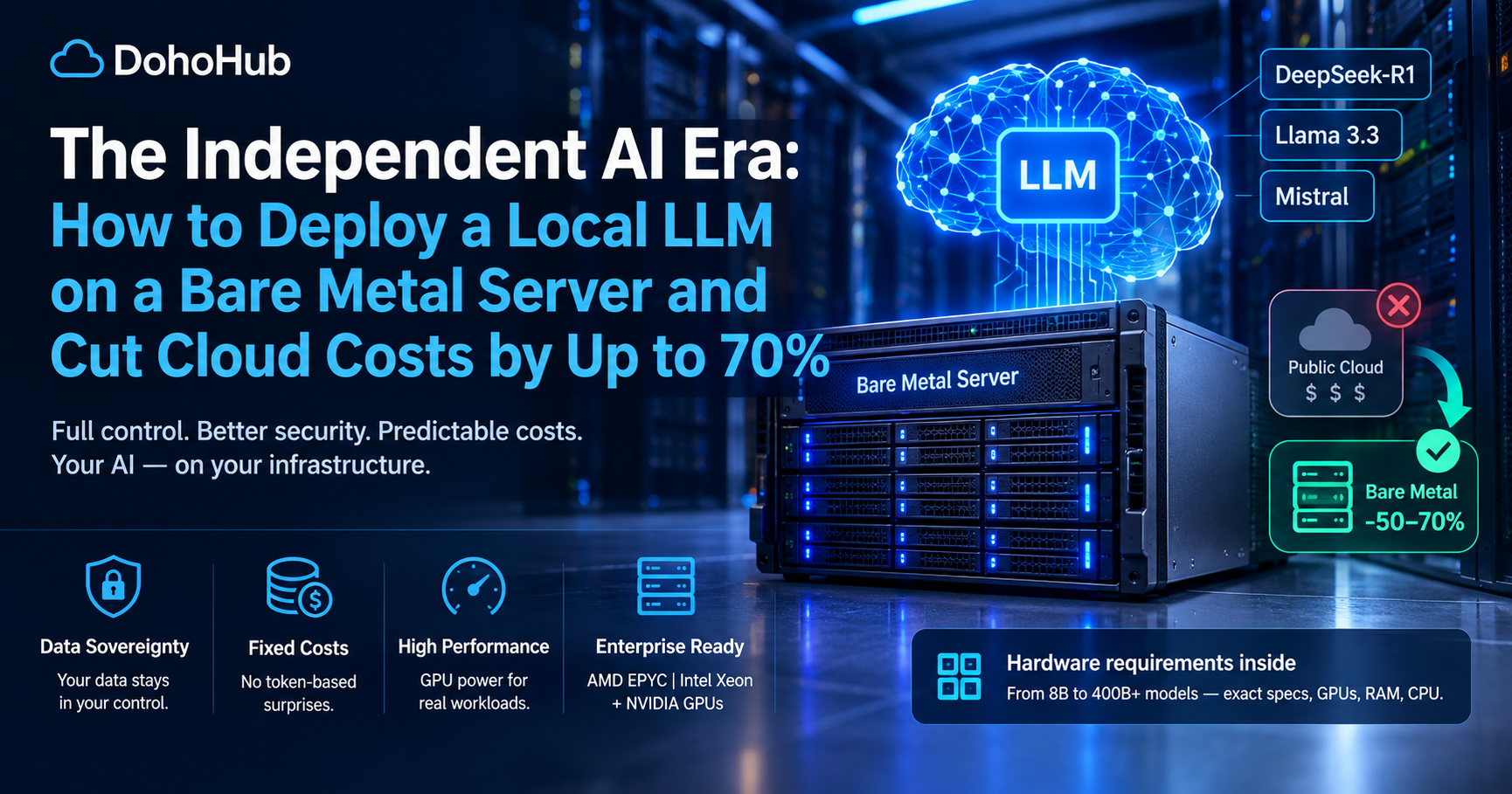
Running an LLM on your own infrastructure can give your business greater control over sensitive data, predictable computing costs, and more flexibility. This guide explains how to choose GPU hardware, estimate memory requirements, deploy open-weight models with Ollama or vLLM, and evaluate dedicated server providers.
Introduction: Why Businesses Are Moving AI In-House
Large language models have changed how businesses build software, automate workflows, analyze documents, and serve customers. However, relying entirely on third-party AI APIs introduces several considerations: usage-based billing, external data processing, provider dependencies, rate limits, and less control over the underlying infrastructure.
An alternative is to deploy a large language model (LLM) on a server that you control or rent exclusively. This approach is commonly called self-hosted AI, private LLM hosting, or bare metal AI hosting.
With a suitable server, an organization can run models such as Llama, Mistral, Qwen, and DeepSeek-family models without sending every inference request to a public model API.
That does not automatically make self-hosting cheaper or more secure. Hardware utilization, electricity, server rental, engineering time, model performance, and access controls all affect the outcome.
This guide explains how to evaluate the trade-offs and deploy a private LLM on bare metal infrastructure.
1. What Is a Bare Metal LLM Server?
A bare metal server is a physical machine whose computing resources are allocated to one customer rather than shared across multiple virtual machines in the usual cloud VPS model.
For AI workloads, a server may include:
- One or more NVIDIA or AMD GPUs with dedicated video memory.
- A modern AMD EPYC or Intel Xeon processor.
- ECC system RAM for reliability.
- NVMe storage for model weights, datasets, and application files.
- High-bandwidth networking for serving inference requests.
- Remote management capabilities for maintenance and recovery.
Bare metal can be rented from a hosting provider or operated in an organization's own data center. Dedicated GPU cloud instances are another option, although their isolation and hardware allocation terms vary by provider.
Why use bare metal for AI?
Control: Choose the model, inference engine, runtime configuration, and deployment schedule.
Capacity planning: Reserve hardware for a known workload instead of relying exclusively on API quotas or per-token billing.
Data governance: Keep prompts, documents, and generated responses within infrastructure under your operational control, provided the complete application stack is configured accordingly.
Customization: Run quantized models, private fine-tunes, retrieval-augmented generation (RAG), and internal AI services.
Potential cost savings: At sustained utilization, fixed-cost hardware may become more economical than paying for every token through a hosted API.
The trade-off is responsibility. You must manage availability, security patches, monitoring, scaling, backups, and model updates.
2. API Costs vs. Bare Metal: Which Is Cheaper?
There is no universal percentage by which self-hosting reduces AI costs. Savings depend on the model, token volume, hardware, utilization, latency requirements, and the price of the API being replaced.
A public API is often the simplest and most economical choice for experimentation or intermittent workloads. A dedicated server can become attractive when demand is predictable and the GPU stays busy for much of the day.
Example: Comparing monthly costs
Consider a hypothetical workload that processes 100 million input tokens and 20 million output tokens per month.
The API cost can be calculated as:
Monthly API cost = (input tokens ÷ 1,000,000 × input price per million) + (output tokens ÷ 1,000,000 × output price per million)
The prices below are illustrative examples, not current quotes for any specific provider.
| Cost component | Example A: API | Example B: Self-hosted |
|---|---|---|
| Monthly input tokens | 100 million | 100 million |
| Monthly output tokens | 20 million | 20 million |
| Illustrative API input price | $1 per million | — |
| Illustrative API output price | $4 per million | — |
| API usage cost | $180/month | — |
| Dedicated GPU server | — | $1,200/month |
| Additional operations and monitoring | — | $200/month |
| Total illustrative monthly cost | $180 | $1,400 |
In this example, the API is substantially cheaper. A low-cost API serving a small workload is difficult for a dedicated server to beat.
Now imagine a larger workload costing $5,000 per month through an API, with comparable model quality and throughput available on a self-hosted server costing $1,400 per month. The potential difference would be $3,600 per month before additional engineering, redundancy, electricity where applicable, and other operating expenses.
The self-hosted option only represents a valid comparison if it can deliver the required response quality, throughput, and availability.
Calculate your break-even point
Use this framework:
Monthly self-hosting cost = server rental + power (if applicable) + storage + networking + monitoring + maintenance + allocated engineering costs
Then compare that amount with the actual API invoice for the same workload.
Also account for:
- Model quality and the cost of using a larger model if necessary.
- Peak concurrency and response-time requirements.
- Redundant hardware or a fallback API.
- Idle GPU capacity.
- Deployment and ongoing maintenance.
- Data retention, compliance, and security requirements.
Claims of 50–70% savings can be possible for certain high-volume workloads, but they are not guaranteed. Calculate savings from measured traffic and real provider prices rather than relying on a general percentage.
3. Hardware Requirements: How Much VRAM Do You Need?
The most important hardware decision is often GPU video memory, or VRAM. The model weights must fit in available memory alongside the runtime, inference cache, and other overhead.
The exact requirement varies with the model architecture, parameter count, quantization format, context length, batch size, and number of concurrent requests.
The following figures are planning estimates, not minimum specifications or guarantees.
Approximate GPU memory requirements
| Model size | Approximate weight memory at 4-bit quantization | Practical GPU memory planning |
|---|---|---|
| 7B–8B parameters | 4–6 GB | 8–12 GB or more |
| 14B parameters | 8–11 GB | 12–16 GB or more |
| 30B–32B parameters | 17–22 GB | 24–48 GB or more |
| 70B parameters | 38–45 GB | 48–80 GB or more |
| 100B+ parameters | Highly model-dependent | Multiple GPUs or a larger-memory accelerator may be required |
Actual memory consumption can be higher. Long context windows, large batches, and key-value (KV) caches may add substantial overhead. Mixture-of-experts models also require careful evaluation: the number of active parameters per token does not eliminate the need to store the model's full set of weights.
Quantization: Run larger models on smaller GPUs
Quantization reduces the precision used to represent model weights, allowing models to use less memory.
Common options include:
- FP16/BF16: Higher memory requirements, often useful for quality-sensitive inference and supported GPU workloads.
- 8-bit: A compromise between memory use and numerical precision.
- 4-bit: Often suitable for local inference when memory capacity is limited.
- Other low-bit formats: May offer different performance and quality trade-offs depending on the model and runtime.
Quantization is not free. It can affect output quality and performance, and supported formats vary across inference engines. Evaluate the actual model on representative prompts before production deployment.
CPU, RAM, and storage
The GPU is not the only component that matters.
| Component | Practical considerations |
|---|---|
| CPU | Modern AMD EPYC or Intel Xeon processors are suitable for many server workloads. CPU needs increase with preprocessing, retrieval, and request orchestration. |
| System RAM | 32–64 GB can be a reasonable starting point for a smaller GPU-backed deployment; 128 GB or more may suit larger models, CPU offloading, and data-heavy applications. |
| Storage | NVMe SSDs reduce model-loading time and improve dataset and application access. Capacity depends on model versions, logs, indexes, and datasets. |
| Networking | Bandwidth and latency matter when serving remote users, retrieving documents, or distributing inference across machines. |
| Power and cooling | High-performance GPUs can draw substantial power. Verify the server's power budget and cooling capability. |
| Remote management | IPMI or equivalent out-of-band management helps recover a machine when the operating system or network becomes unavailable. |
For many organizations, the best starting point is one GPU and a model that fits comfortably in VRAM. Scale to multiple GPUs only when measured performance or model-size requirements justify the added cost and complexity.
4. Ollama vs. vLLM: Which Inference Engine Should You Use?
Ollama and vLLM solve related but different operational needs.
\<ins>Ollama\</ins> is designed to make downloading and running models straightforward. It is useful for local development, prototypes, personal assistants, and smaller internal AI services.
\<ins>vLLM\</ins> is an inference and serving engine focused on efficient model serving, including batching and high-throughput deployments. It is commonly considered for production APIs and workloads with multiple concurrent requests.
| Feature | Ollama | vLLM |
|---|---|---|
| Getting started | Generally straightforward | Requires more serving configuration |
| Local experimentation | Excellent fit | Possible, but often more than a beginner needs |
| API serving | Provides an API | Designed for high-performance model serving |
| Concurrent workloads | Depends on configuration and workload | Strong focus on efficient batching and throughput |
| Model compatibility | Depends on supported model formats and runtime | Depends on supported architectures, hardware, and model formats |
| Best starting use case | Development and smaller deployments | Production inference and higher-throughput serving |
Neither engine is automatically the better choice for every workload. Benchmark the same model, quantization, prompt lengths, and concurrency on your target hardware.
Running a model with Ollama
On a compatible Linux server, install Ollama using the official instructions at:
https://github.com/ollama/ollama/blob/main/docs/linux.mdx
After installation, download and run a model that is available in the Ollama library. For example:
ollama run llama3.2The exact model name and available variants may change. Check the model library and hardware requirements before downloading.
To start the local API, Ollama normally runs a service on the local machine. Verify its service configuration and API binding before exposing anything to another host or the public internet.
Serving a model with vLLM
Consult the official documentation before installing:
https://docs.vllm.ai/en/latest/getting_started/quickstart/
A basic example using a supported model and compatible GPU is:
vllm serve MODEL_NAMEReplace MODEL_NAME with the identifier of a model supported by your installed version. Check the documentation for required dependencies, model access permissions, GPU compatibility, memory settings, and any additional arguments.
For production, use a managed service or a hardened deployment with authentication, restricted network access, resource limits, monitoring, and a process supervisor.
5. Where Can You Rent a GPU Bare Metal Server?
Choosing a provider involves more than comparing the advertised monthly price. The GPU model, VRAM capacity, availability, location, bandwidth, setup fees, support, and contract terms all affect total cost.
One starting point is \<Entity category="company" value="NovoServe" disambig="Dedicated servers and GPU hosting provider"/>. Its GPU server offerings can be reviewed here:
https://novoserve.com/gpu-server
Use the provider's current specifications and quote process to confirm which GPUs and configurations are actually available. Do not assume that a particular GPU, price, or region is currently in stock without confirmation.
What to compare before ordering
| Factor | What to verify |
|---|---|
| GPU | Exact model, VRAM, number of GPUs, and whether the hardware is dedicated |
| CPU | Core count, clock characteristics, and suitability for preprocessing |
| RAM | Installed capacity and upgrade options |
| Storage | NVMe capacity, redundancy, and additional-volume costs |
| Network | Port speed, included traffic, transfer limits, and bandwidth policies |
| Location | Region, latency to users, and applicable data-residency needs |
| Availability | Stock, provisioning time, and replacement procedures |
| Support | Response commitments and hardware troubleshooting process |
| Price | Setup fees, monthly fees, tax, cancellation terms, and renewal conditions |
| Access | SSH, remote console, out-of-band management, and reinstall options |
Important: Dedicated GPU servers can be significantly more expensive than general-purpose VPS plans. Compare the total cost of a complete deployment, not just the advertised starting price.
For DohoHub, GPU hosting comparisons can make these differences easier to evaluate by presenting hardware specifications, locations, pricing, and relevant provider terms side by side.
6. Step-by-Step: Deploying a Private LLM
The following workflow is a practical starting point for a Linux-based GPU server.
Step 1: Define the workload
Before selecting hardware, answer these questions:
- Is the model used for chat, document analysis, code generation, embeddings, or another task?
- What context length is required?
- How many simultaneous requests must be supported?
- What response latency is acceptable?
- Does the application require a specific model or quantization format?
- Must all data remain in a particular country or infrastructure environment?
These requirements determine the appropriate model and server configuration.
Step 2: Provision the server
Choose a server with sufficient VRAM, RAM, storage, and networking. Install a supported Linux distribution and update the operating system.
For GPU workloads, confirm that the operating system, driver, GPU runtime, and inference engine versions are compatible. Follow the hardware vendor's official installation guidance.
Step 3: Install the inference runtime
Choose Ollama for a straightforward local setup or evaluate vLLM for a higher-throughput serving architecture.
Pin compatible software versions for production rather than updating every component without testing.
Step 4: Download and validate the model
Use an official model repository or a trusted distribution source. Review the model's license and permitted use.
Run a representative set of prompts and measure:
- Time to first token.
- Tokens generated per second.
- Peak VRAM and RAM usage.
- Output quality for your specific task.
- Performance under realistic concurrency.
- Behavior at the required context length.
A model that runs successfully on one short prompt may still fail under production load.
Step 5: Build the application layer
The inference engine is only one part of the service. A complete application may include:
- A web interface or internal client.
- An API gateway.
- User authentication and authorization.
- A retrieval system for private documents.
- Rate limiting and request-size limits.
- Logging and metrics.
- Queueing and timeout handling.
For document-heavy applications, retrieval-augmented generation (RAG) can provide access to internal knowledge without retraining the base model. RAG still requires careful access controls and document-permission enforcement.
Step 6: Secure the endpoint
Do not expose an unauthenticated inference endpoint to the public internet.
Use private networking or a firewall, TLS where appropriate, strong authentication, and an authenticated reverse proxy or API gateway. Restrict administrative access and avoid binding services to public interfaces unless the deployment explicitly requires it.
Test access from both authorized and unauthorized clients.
Step 7: Monitor and optimize
Track GPU utilization, VRAM consumption, queue length, error rates, latency, throughput, and server temperature. Monitor the cost per successful request, not only raw tokens per second.
Tune batch size, concurrency, context length, quantization, and model choice based on measured workload results.
Step 8: Prepare for failure
Define procedures for model updates, server reboots, disk failures, backups, and service restoration.
For business-critical applications, consider redundant inference capacity or a fallback provider. A single bare metal server can be a useful deployment, but it is also a single point of failure unless the architecture addresses that risk.
7. Security, Privacy, and Data Sovereignty
Self-hosting can reduce reliance on external inference providers, but it does not automatically guarantee privacy or compliance.
A private LLM deployment may still expose sensitive data through application logs, analytics, crash reports, remote administration, backups, or third-party monitoring tools.
Use the following controls as a baseline:
- Data minimization: Send only the information required to complete a request.
- Access control: Restrict model access and internal documents according to user permissions.
- Encryption: Use appropriate encryption for data in transit and at rest.
- Network isolation: Keep administrative interfaces and internal services off the public internet where possible.
- Secrets management: Store API keys and credentials outside source code and model prompts.
- Logging policy: Avoid retaining sensitive prompts and outputs unnecessarily.
- Patch management: Keep the operating system, GPU drivers, runtime, and application dependencies updated.
- Backup protection: Encrypt backups and restrict access to them.
- Auditability: Document who can access the system and how data is processed.
- Model governance: Review model licenses, provenance, and applicable usage restrictions.
For organizations subject to privacy laws or industry regulations, involve the appropriate legal, privacy, and security teams before production deployment. Infrastructure location is only one part of a data-residency assessment; application access, subprocessors, backups, and operational practices matter too.
8. Common Mistakes When Hosting an LLM
Choosing a GPU based only on model size
The weights are not the only consumers of VRAM. Runtime overhead and the KV cache can cause out-of-memory failures. Leave adequate headroom.
Buying too much hardware too early
A large GPU server can sit idle if demand is low. Benchmark a smaller deployment first and scale when the evidence supports it.
Ignoring context length
Long prompts and long conversations increase memory requirements and can reduce throughput. Test with realistic context sizes.
Assuming a local model matches a premium API
Different models vary in reasoning, coding, multilingual performance, tool use, and reliability. Evaluate the model against real tasks before replacing an API.
Exposing the inference API without authentication
An unsecured endpoint can be abused, consume expensive compute, and expose internal information. Treat inference infrastructure like any other production service.
Forgetting maintenance costs
Hardware rental is only one line item. Include engineering time, monitoring, redundancy, storage, network costs, and operational support in the financial model.
Ignoring licensing
Not every model has identical commercial-use terms. Review the specific license and distribution conditions before integrating a model into a commercial product.
9. Is Bare Metal LLM Hosting Right for Your Business?
The best deployment depends on the workload rather than on a general preference for self-hosting.
| Scenario | A sensible starting approach |
|---|---|
| Personal experimentation | Local workstation or a small server with Ollama |
| Low-volume application | Compare a hosted API with a small self-hosted deployment |
| Internal assistant for employees | Private inference endpoint with authentication and controlled document access |
| High, predictable inference volume | Benchmark dedicated GPU hosting against actual API invoices |
| Sensitive internal documents | Assess self-hosting alongside application-level privacy and security controls |
| Large models or demanding throughput | Evaluate multi-GPU servers and optimized inference engines such as vLLM |
| Mission-critical AI service | Include redundancy, monitoring, incident response, and tested recovery procedures |
A hybrid approach can also be effective: use a private model for routine or sensitive tasks and a hosted API for tasks that require a more capable model or additional burst capacity. Routing decisions should account for data sensitivity and the terms of any external service.
DohoHub Verdict
Running a private LLM on bare metal can provide greater infrastructure control, predictable capacity, and a path toward lower inference costs when workloads are large and consistent. It also introduces operational responsibilities that hosted APIs largely handle for you.
The most important decision is not simply which GPU to buy. It is finding the right balance between model quality, VRAM, throughput, utilization, security, and total cost of ownership.
Start with a defined workload, benchmark an appropriately sized model, and compare the resulting cost per successful request against your actual API bill. Choose a dedicated GPU server only when its performance, privacy, or economics justify the added responsibility.
For businesses evaluating infrastructure, DohoHub's independent hosting data and provider comparisons can help organize the decision around real specifications and costs rather than introductory prices or marketing claims.
The bottom line: self-hosting is not automatically cheaper than an API, but with the right model, hardware, and utilization, it can become a practical foundation for private and cost-controlled AI.
Technical Resources
- Ollama — Official Linux installation documentation
- vLLM — Official Quickstart
- NovoServe — GPU Server Hosting
Hardware estimates and cost examples in this guide are illustrative. Confirm current model requirements, software compatibility, server availability, provider pricing, and licensing before deployment.